Tag: feedreader

  • My Top 5 Shortcuts: #1 Use a Feedreader

    My Top 5 Shortcuts: #1 Use a Feedreader

    I’m often asked about how to best handle social media maintenance and management tasks. Over four years or so I’ve developed a few shortcuts that work well for me. I’ll explain each in a separate post, but we’ll start with feedreaders!

    Yay feedreaders!

    Using a feedreader to track blogs I’m interested in along with keyword searches is my number one shortcut. It was thanks to Bloglines, my first feedreader that I really started to understand social media. I subscribed to PR, social media, marketing and advertising blogs left and right. By doing so, I learned best practices and social media etiquette through observation.

    My use has changed a little bit, which I’ll explain. First, though, take a peek at this video from Common Craft, it’ll give you the basics (click on the image).
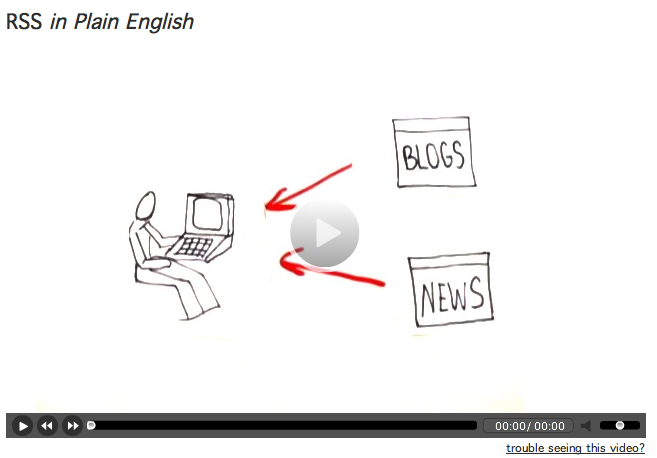
    Common Craft recommends Google Reader, which is very popular. The aesthetics of Google Reader just don’t work for me – nothing personal, Google. I use Netvibes. I like the “dashboard” feel to it and I can separate different clients, interests, projects into their own tab.

    You can see how this looks at the public Netvibes dashboard I set up. Feel free to use this as a start for your own. Once you create an account with Netvibes, any changes you make will be saved.
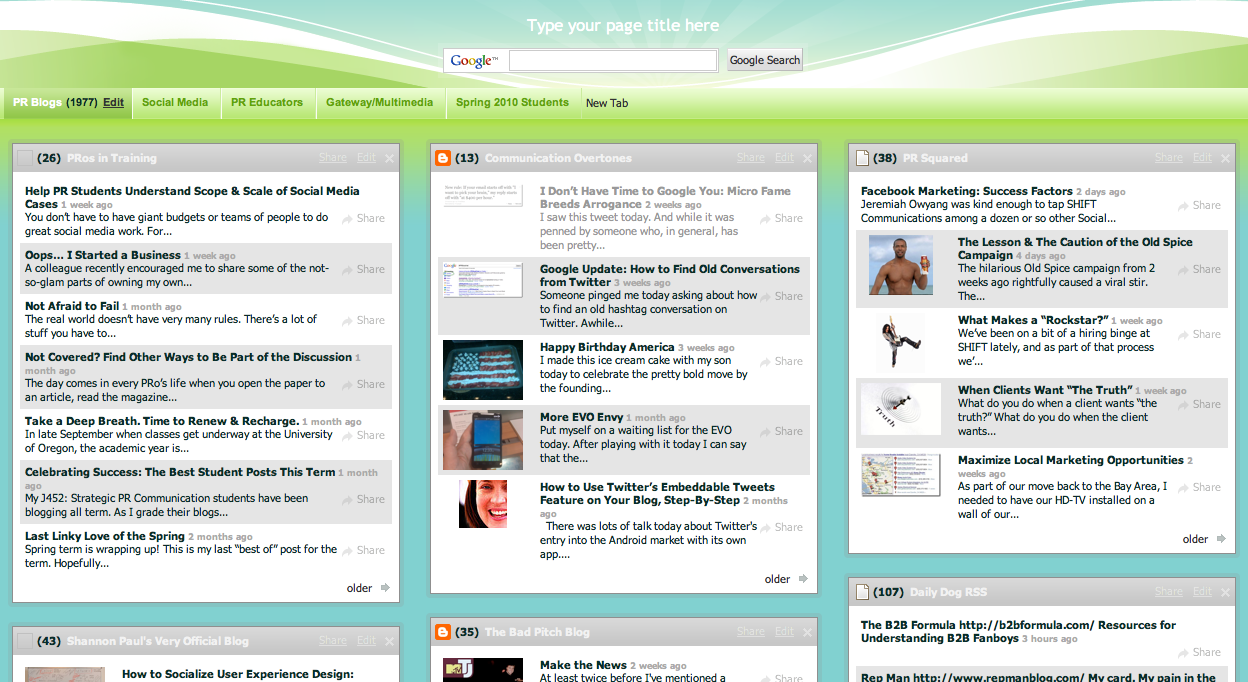
    What’s in my feedreader:

    • Six or so tabs related to PR, social media, marketing, nonprofit work, advertising, etc. Each has its own tab and each tab has 10 – 20 different blog feeds. I’ve found the best blogs (for me) that I want to subscribe to.
    • A tab for each client for which I do listening and monitoring activities. For clients I subscribe to interesting blogs and also subscribe to search results. This is really how my use has changed. I use my feedreader more for managing and maintaining client social media than for my own purposes. (I’d say it’s a 60-40 split in terms of how much time I spend… 60% on client stuff and 40% on my own).

    Subscribe to search results? Why yes! I do keyword searches with (at minimum): Google, SocialMention, IceRocket, Twitter, Flickr and YouTube. When you do the search on any of those sites, you can subscribe to the results. Look for the RSS icon on the page or in your address bar on your browser.
    It takes some time up front to set up a useful dashboard. Once it’s set up, not only do you know if you or your client is mentioned on a blog or a tweet, but you also have all kinds of “input” at your fingertips for creating great content. I rely on my feedreader for inspiration for tweets and for blog posts. By spending the time upfront to make a useful dashboard, the day-to-day or week-to-week maintenance is lessened.

    You can do some pretty cool things with RSS (as a subscriber). Some tips:

    • You can subscribe to specific categories on most blogs. Maybe you’re not interested in everything everyone says on a frequently-updated site, but are interested in a specific topic or category. You can pull just those posts.
    • A site called PostRank will let you subscribe to just the most popular posts. I’ve done this with sites like Jezebel or Perez Hilton because there are just too many posts to keep up with everyday. Yes… I have subscribed to Perez Hilton. Don’t judge.
    • Tools like Yahoo! Pipes let you dump a bunch of sites in one end, along with some keywords and out the other end? A custom RSS feed. I think this could be a sweet tool for media monitoring (put in New York Times, USA Today, etc. etc…. filter for your company name and voila!), but I haven’t tried it out yet. Yahoo! Pipes is a bit “techy,” so beware.
    • Create an RSS feed where none exists. This is a little more complicated, but it’s possible! This post overviews a few of the tools that can help. The post is a tad dated, so I’m not sure all the tools listed still exist, but I’ve tried a few with varying degrees of success. This is also on the techy side.

    Final tip: Making checking your feedreader part of your daily routine. Set the feedreader as your homepage, add it as a shortcut on your browser, or leave yourself a reminder (physical or electronic) to take a peek.

    Any other tips? I’d love to hear how you’re using feedreaders. Which reader are you using and why?

    [this post is cross-posted at Verve: In Bloom]

  • The Magic of RSS: Really Simple Syndication for Really Smart Students

    Really Simple Syndication (RSS) has fundamentally rocked the way that, as consumers, we get information. You may not know the acronym, or know the technology behind it. But, trust me, it has affected your daily consumption of information.

    This is not just “online” vs. “offline” – it’s “push” vs. “pull.”

    Let me explain.

    Since the dawn of information, we’ve been beholden to the all-wise, all-knowing gate keepers to tell us what we need to know; whether it’s editors, PR people, educators and so on.

    This is “push.” Read this, listen to that.

    With RSS, we now have control over information. We “pull” what we want, when we want and how we want. This has rocked the traditional information providers and opened up a whole new world.

    Here, let Common Craft explain it.

    To maximize your use of RSS, you need a feed reader. And honestly, finding a good way to keep up on feeds is the best way to keep this social media stuff manageable.

    Here are the most popular:

    Google Reader: I’ve never loved Google Reader, but it’s often the one I recommend for students who are comfortable with the Google interface. I think there’s too much extra stuff going on with the page outside of my feeds.


    Bloglines: For its ups and downs, I seem to keep coming back to Bloglines. Likely, that’s partially because that’s what I cut my RSS teeth on and what I’m used to. But when I compare it to some of the others on this list, it feels cleaner. What I don’t like – if you jump out of the feed you’re reading for some reason, that clears the unread posts out.

    Flock: Flock is beyond a feedreader, it’s a “social browser.” You can connect to your blog(s), Twitter, Flickr, video and get your feeds all in one place. I do like the interface and its a Mozilla thing, so it works a lot like Firefox. I just can’t quite commit to go all the way with a new browser, so I keep coming back to Bloglines. But this is definitely my second choice.

    Netvibes & Pageflakes: Netvibes and Pageflakes are pretty similar. Both are designed to be an “all in one” feedreader and iGoogle-esque home page. I like both. Netvibes imported my feed folders as individual tabs, which is a nice for organizing. The layout of both works nicely. I like the feedreader part better than Google Reader, so these are a nice alternate to iGoogle.

    Tips for making feed reading a habit you can manage.

    • Make your feed reader your home page – open a browser, greet your feeds. That seems easy enough.
    • Add browser button as a visual reminder – I have my bloglines button at the top of my Firefox browser, so it’s just within my vision to remind me that I need to see what’s up. I have to admit that creating the habit didn’t take long and now I’m as dependent on Twitter as I am the feed reader.
    • Set an outlook or other email reminder service to jog your memory once a day – if you’re reading any more than a couple of dozen blogs, you need to stay on top of it and check daily. Especially when you’re starting out. As you get in the groove, you can find your own rhythm. If I wait more than a couple of days, I have hundreds of posts to catch up on.
    • Use your reader + a social bookmarking application – if I only have time to scan, I’ll scan headlines, open posts that look interesting and tag them in Delicious. Then later, I can hit the highpoints and read the things that really caught my eye.

    For those veterans of RSS feed readers… any tips for the newbies?

  • The Fall Freight Train is Coming – Get Back on Track

    Summer is coming to a close.The rapid pace at which the season has passed has my head spinning. My intent was to do a lot of blogging, spend some time doing research and even do some early class prep for a new academic year. Thanks to a rush of new business, a crisis to manage and moving out of our house, I’ve been less than productive in the ways I’d intended to be.

    So, I’m finding myself feeling like I need to get back on track – catch up with my feedreader, figure out what the PR blogosphere has been talking about the last 3 months and prep for the coming year. If you’re a student (or even a recent grad), you may be feeling the same way… summer can be distracting.

    I’ve been thinking about how to get myself in the groove and thought I’d share a few ideas with you. I welcome yours, too! Please leave them in the comments.

    • I went through my feeds and marked as read all my entertainment-related subscriptions. I have my feeds organized by category, so this was pretty easy. Sorry, Perez and the lovely ladies of Jezebel. I did the same with ‘non-essential’ feeds related to topics that have, at one time, piqued my interest but tend to go unread anyway most of the time (and I probably should unsubscribe). This left me with PR, Marketing, Social Media and a few others as well as feeds I read for clients and dropped my “unread” number to less than 3,000 posts.
    • I went through the rest of the feeds and started with those in each folder who I always find to be insightful and a good read. A few of my favorites: Kami Huyse, Gerald Baron, PR Squared, KD Paine and Media Bullseye. I have close to 200 feeds that I read for myself, so really, this is just a few. Those that I find occassional value in, but aren’t “favorites,” I opened and scanned quickly. If I had more than a month of posts to read on any blog, I didn’t. I stopped reading anything older than the first of August.
    • I spent a couple of days paying attention to links coming via Twitter. This was helpful to be able to jump into current conversations. If Todd Defren or Chris Brogan had a link, I clicked. Same with Robert French and Karen Russell.
    • I’ve been blogging. This is the second post this weekend for PRos and I also blogged on my agency blog. This has helped me start thinking more clearly about topical issues.

    I also plan to have lunch with Mrs. Gallicano this week and brainstorm ideas with her for this fall’s students (and of course catch up on gossip). I want to be in a thinking mode when I head to the Nevada desert to spend some time with my family. I find poolside to be an excellent place to read, think and write. 🙂

    How about you?

    Related Posts with Thumbnails