Tag: Twitter

  • Split-Second Decisions: My Twitter Follow Back Tips

    Split-Second Decisions: My Twitter Follow Back Tips

    Recently, I was (very!) honored to be included on Valerie Maltoni’s list of 100 PR People Worth Following. Because Valerie is so widely read and clearly well-respected, my Twitter follower count jumped by about 350 – 400 people in the course of three days. I enjoy meeting new people through Twitter and I genuinely try to follow back people who look like they would add value to my experience there.
    twitter-for-business

    It took several days for me to go through the profiles of each new follow (the only ones I skipped were brands I was not interested in, spambots, etc.). I didn’t necessarily learn anything “new,” but going through so many profiles, there were a few lessons that were really highlighted by this experience.

    So you want a follow back? Here are my tips:

    • Include your location: I am much more likely to follow you back if you’re in my neck of the woods. I love connecting with people from all over the globe, but I’m not going to lie that I have a special affinity for fellow Oregonians.Include your actual location. Don’t be clever (i.e., “planet earth” or “state of consciousness”)
    • Your bio is important: I appreciate a clever turn of phrase and play on words. But when I’m making a snap decision about whether to follow you back, I want SOME sense of who you are or what you do. Why should we be connected?
    • Share good tweets: This idea of “what to tweet” or how to add value deserves more than a bullet point. But I love the signal to noise ratio analogy as a general rule of thumb. It’s ok to share random pieces of info and have “off-topic” conversations (noise). Note: “off-topic” in quotes because “topic” is relative. when I’m deciding to follow you back, I am thinking about what I want my Twitter topic of conversation to be about. Most of what you tweet – say 60 – 70% – should be adding value (signal). Share links, provide insight, point me to interesting news or resources. If your last 20 tweets are: all noise about random things you’re doing, conversations better had on instant messenger with your BFF or all retweets of other people’s content … I’m not going to follow you back.
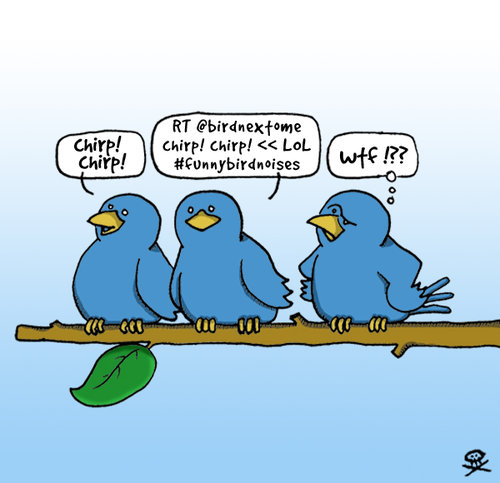
    • Have a photo: I prefer to see a photo of the person behind the profile, but at the very least have some sort of photo. I’m highly likely to just skip over new followers with the “newbie” bird logo.
    • Don’t use excessive hashtaggery: Hashtags are a terrific way to keep up with conversations across the Twittersphere on the same topic, or at the same event. But when you’re tagging every other word in your tweets, it just become difficult to read or to find the actual content. This seems like a no-brainer to me… but I looked at several profiles where the majority of the tweets on the page were packed with hashtags. I had no idea what that person was tweeting about.

    If your goal is to build your network and connect with professionals in your field, these tips should come in handy. If you’re happy with the way Twitter is working for you, then by all means, keep going! There are no “right” ways to do Twitter. It all depends on what you want to accomplish.

    How do you decide who to follow back on Twitter? Any mental short cuts or rules of thumb that you use? I’d love to hear about them!

  • Beautiful Blog Posts Have Great Bone Structure

    Saturated colour spectrumImage by Kounelli via Flickr

    Creating a beautiful blog post isn’t difficult. Following a basic structure formula that gives your posts great bone structure will give you more room to drape with creative style, solid information and desirable resources.

    1. Craft a Great Headline. Include an active verb and try to squeeze some of your key topic words in as well. The search engines love the headlines and a strong headline will not only attract Google, but will also compel your visitors and regular readers to read on.
    2. Write a Compelling Lede. Provided your readers hang around to see what the headline is all about, a compelling lede will keep them reading. Establish what the post will cover, of course, but also flex your best writing muscle and write something people want to read.
    3. Start with Bullet Points. Use bullets to outline your ideas in an outline form. If you’re writing a list post, keep your bullets as your core structure. If you’re not, use your bullets to…
    4. Develop Sub-Headlines. Sub-heads help create a scanable page and make it easier for people to read on a computer screen and digest the information. (pssst… Google loves sub-heads, too).***Now is also a great time to ask your friends on Twitter what they think. Chances are you’ll get some great feedback that will mean a strong post in the end.***
    5. Fill in the Detail. Flesh out your bullet points and/or sub-heads to really bring the point home. Keep yourself on track (rambling is way too easy to do, especially if you feel passionately about something) and keep your readers in mind.
    6. Find a Great Image. I recommend Flickr. Under the “advanced search” link, check the creative commons button and make sure you credit the photographer. If you want to go with stock photography, istockphoto.com is low cost and has the best selection. Stock Xchange is free and you can usually find something decent.
    7. Double-Check Your Headline. Now that the post is complete, make sure your headline still reflects what your post is about and gets a reader’s attention. Can you refine it to be even stronger and more effective?
    8. Edit, Proof, Correct, Polish and Revise. Errors in grammar can kill a blogger’s credibility and traffic. Take time to make sure you’re putting out your best work. There’s a certain immediacy to blogging, and a stray comma or run on sentence doesn’t typically have dramatic consequences. But avoid the five grammar errors that make you look dumb.

    Resources:
    10 Tips for Writing a Blog Post

    Reblog this post [with Zemanta]
  • Guest Post: Creating the Job You Want

    This is a guest post from UofO alum, Sarah Essary. You can follow her at @ConsumingPR.

    I like to think of job descriptions as simple suggestions. Coloring outside the lines is perfectly acceptable in the workplace, but only if your art becomes a masterpiece.

    Not too long ago, I was hired as a Reservationist at The Citizen Hotel. My job duties included answering the phones, filling reservations, assigning room numbers and routing payments. After a few weeks, I offered to develop the hotel blog and Twitter account. Soon, I proved to be knowledgeable in public relations and took on more responsibilities. Before I knew it, I was launching a social media campaign and taking a dual position as Public Relations Coordinator.

    Currently, I am the Reservationist and Public Relations Coordinator for both The Citizen Hotel and Grange Restaurant & Bar. My duties include updating and writing all social media content, handling media inquiries, working with our public relations agency, editing all press materials, coordinating local media outreach, media monitoring and brand awareness, as well as writing and distributing the restaurant newsletter.

    Practicing public relations during a dodge ball game is the best way to describe my typical day. It is imperative that I stay on top of all public relations activities while answering the phones at first ring. I may fill 10 reservations while at the same time edit an entire public relations plan.

    This dual role is the best way for me to understand the market first hand. I’m in the trenches and the lookout tower all at the same time! It’s fulfilling when customers choose to stay at our hotel after noticing our Web site, news coverage, blog posts or even our Twitter!

    As a Reservationist and Public Relations Coordinator, I am able to pitch and position my business with a first-hand understanding of the current market. There is nothing like disseminating a message to media and observing the impact on the target audience. It’s a blessing to have both worlds at my fingertips.

    Reblog this post [with Zemanta]
  • Finding Friends & Building Your Network on Twitter

    My social Network on Flickr, Facebook, Twitter...Image by luc legay via Flickr

    The question that I hear the most about Twitter is “How do I find people to follow?”

    Twitter often seems a bit overwhelming at first, but when you find the right people to follow (and follow you back) you can start to build really meaningful connections.

    To start, figure out who the thought leaders are. You can get a good sense of these by checking out lists of recommended people to follow.

    Three great lists:

    • Dave Fleet’s two lists of people to follow: one, two.
    • The Twitter Power 150 (the twitter IDs of the top 150 marketing, advertising and PR bloggers)

    But maybe you’re looking for people in a specific niche or outside the realm of marketing, PR and advertising? Some good applications to try.

    • TweepSearch: This site will let you enter keywords or locations and searches people bios.
    • WeFollow: Twitterers tag themselves with up to three categories. You can search by tag. This is a pretty new service, but seems to be very popular and populated with lots of people.
    • Nearby Tweets: Just enter a zip code, keyword and/or radius and find people in your community.
    • TwitterPacks. Find like minded people sorted by category and interest.

    Hopefully this list will give you some fuel for your twitter bus. You can also check out this great list of 100 twitter tools, designed for educators, but the tools can be used by anyone. And of course, lots of tips and resources via my Delicious bookmarks.

    Reblog this post [with Zemanta]
  • The Finish is in Sight Linky Love

    200 metres sprintImage via Wikipedia

    The short sprint that is our 10-week academic term is coming to a close. Just two more linky loves on the agenda for this term. Lots of interesting stuff this week.

    Shame: This post from the Ruder-Finn ethics blog argues that shame is a powerful emotion and can have a profound effect on someone’s behavior. What are the implications for public relations professionals in our daily work?

    Working the Bottom Rung: Ryan Anderson offers tips for junior PR professionals about making themselves valuable in a scary economy.

    An Introduction to Social Media: Our friend, Paull Young, gives an overview on the use of social media for business (video).

    Memo From Kafka’s Castle and What Employers Want to See on Your Resume: Some handy tips from a technology CEO, via Guy Kawasaki’s blog.

    HOW TO: Measure Online Influence: A Mashable.com post by Micah Baldwin about understanding and measuring influence online.

    Keep Your Eye on the Ball
    : The last in the series of posts by my friend, Leo Bottary, on client service. This post remind us to focus on the client’s goals and help them to understand that you’re a partner in their business and striving toward to the same ends.

    Print Closure Hastens Move to New Media: Some recent newspaper closures are punctuating the changes that that are occuring in the media world. PRWeek gives its take. Do you feel like you’re prepared for this world?

    Did Skittles Scuttle it’s Brand & Skittles Smackdown, A Sociological Viewpoint: Skittles (as in the candy) did some weird stuff with their Web site this week. What do you think?

    The Ultimate HARO (Help a Reporter Out) FAQ: You may have heard about HARO on Twitter or in your online adventures. Do you know what it is and how it’s relevant to you and other PR students and young PRos.

    Do You Speak Recession?: Michael Allison talks about the loaded words that are being used around the current economic crisis. Understanding the power of words is important.

    Reblog this post [with Zemanta]
  • Are You Active? Including Social Media on Your Resume

    The first term my students blogged, I was thrilled if they completed the assignment and seemed to enjoy it. A few did (my favorite was Stu Holdren’s blog, Stu’s Clues), but almost no one kept the blog up longer than the end of the quarter. That’s been the case most terms since then.

    Of course there are a few (extremely notable) exceptions. Staci Stringer, Jessica Lomelin, Sarah Essary and Beth Evans all come to mind immediately.

    But for the most part, the blogs are abandoned after the 7 weeks assignment.

    Twitter seems to get a little bit more traction and become part of the students’ routines. But I would be lying if I said it was more than 25% of students that continue using twitter after it’s not required.

    There are lots of reasons for letting your blog and twitter profile to go seed. Students (and young professionals) are busy people. But recently a student came to me to help edit her resume for an internship. She listed “social media” in her skills. In her case, she seems like she’s in it for the long haul, but that’s neither here nor there. The point is, it got me thinking about when you should list “social media” on your resume as a skill – especially as a student.

    I asked my twitter friends and got a ton of response.


    My point wasn’t wording, specifically, but whether someone can claim social media as a skill if they aren’t actively participating (with the assumption the individual would not explicitly reveal that the blog was abandoned or the twitter stream had run dry). I’m going to share the replies here and then follow up with another post and my own thoughts on this subject later this week:


    Reblog this post [with Zemanta]
  • Twitter-Rama: Why You Should Join In

    Twitter, the microblogging tool, is becoming increasingly important for PR students and young professionals. The smart people are already on Twitter and building their brand, creating relationships and gaining knowledge. But if you’re not and you’re thinking about it. Here are my favorite posts.

    Robert French from Auburn University asked his Twitter network recently what value they find in participating. The responses tended to fall in a handful of categories:

    • networking
    • following news
    • finding breaking stories (before MSM gets them)
    • opportunity to meet people you’d not have a chance to meet, otherwise
    • connecting with the industry
    • discovering new trends/ideas
    • experimenting with new tools
    • finding internships/jobs
    • news organizations use Twitter to find leads

    You can see all the tweets here.

    All of those things are true for me! But twitter is not valuable unless you participate and build a network that extends beyond your circle of friends. So to get started:

    1. Sign up at Twitter.com
    2. Create a username that resembles your actual name.
    3. Include your actual name in your profile
    4. Create a short bio that indicates your a PR student or a recent grad working (or looking) in PR. This will give you an instant “in” with most professionals. Without exception, PR pros are nice people and will follow you back, answer your questions and interact with you. (For those PRos who are reading, you better be nice, follow back, answer questions an interact!)
    5. Upload a personal avatar. A photo is great, but just don’t use the generic Twitter avatar.
    6. Have 10 – 15 tweets. Talk about what you’re doing, find an interesting link or news story to share, discuss an assignment.

    David Meerman Scott has probably the best post on twitter and personal branding. Do what he says.

    Other tips:

    So jump in! You can find me @kmatthews.

    Related Posts with Thumbnails